

VeeiQ Gaming Hub
Your games. Your controls. Your live device readings.
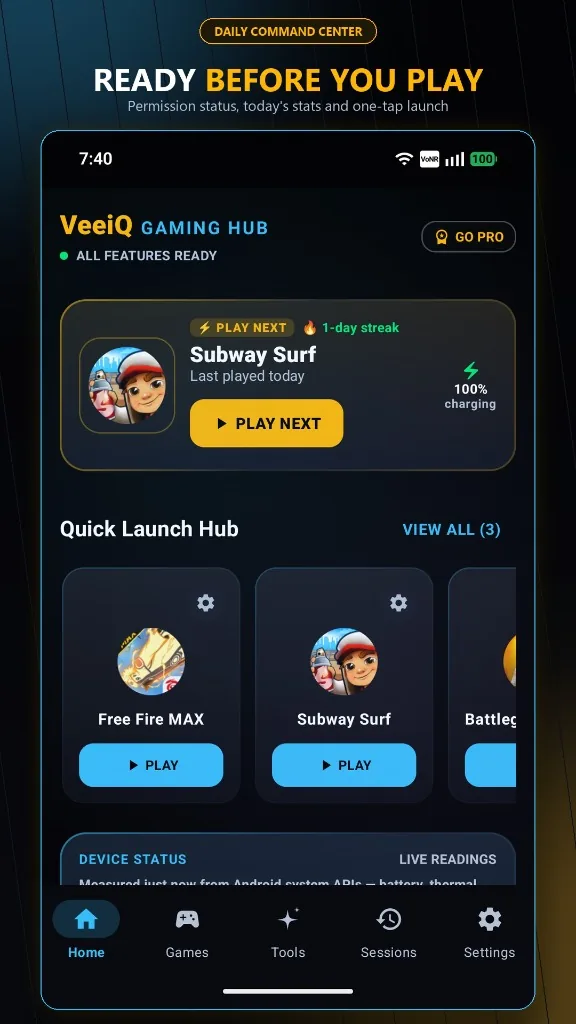
VeeiQ Gaming Hub brings your installed games, gaming-session controls and live device information together in one place. Launch a game, configure supported session settings, use an optional in-game HUD and review your gaming history.

App Summary
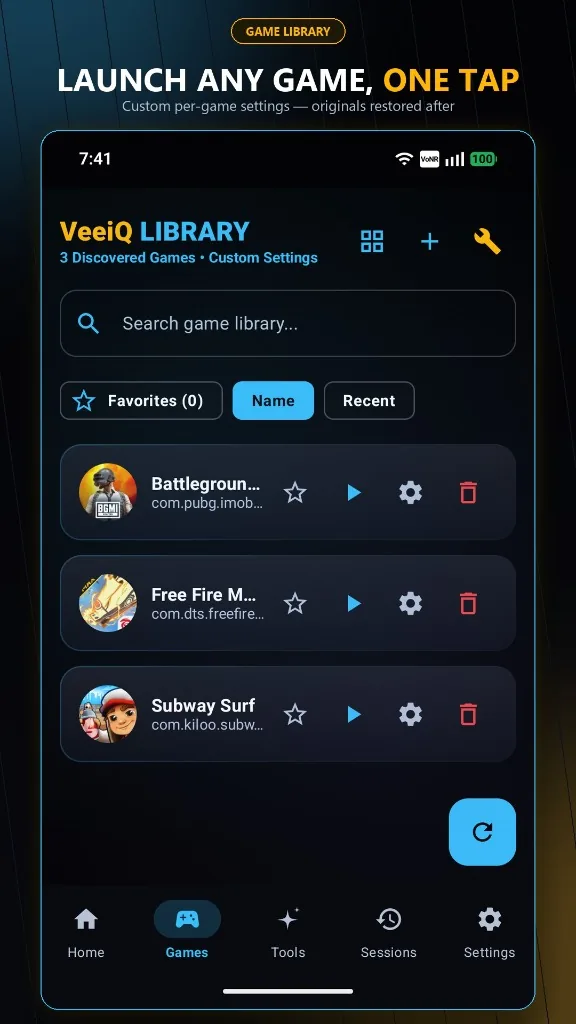
- ✔ Game Launcher & Controls Discover, organize and launch games with one-tap session setup and supported Android controls.
- ✔ Live Gaming HUD Battery, temperature, refresh rate, available RAM and session timer in an optional floating overlay.
- ✔ Zero Cloud Storage No account required. Profiles, settings, and session statistics stay strictly on your device.
- 🔒 App Privacy Policy VeeiQ Gaming Hub works on your device. We do not require an account, we do not r...
Interface Preview
Designed with Craft & Precision
Core Capabilities
Engineered for Focus
🎮 Game Launcher
Discover, organize and launch installed games from one place.
📊 Live Gaming HUD
View battery level, battery temperature, display refresh rate, available RAM and session time through the optional overlay.
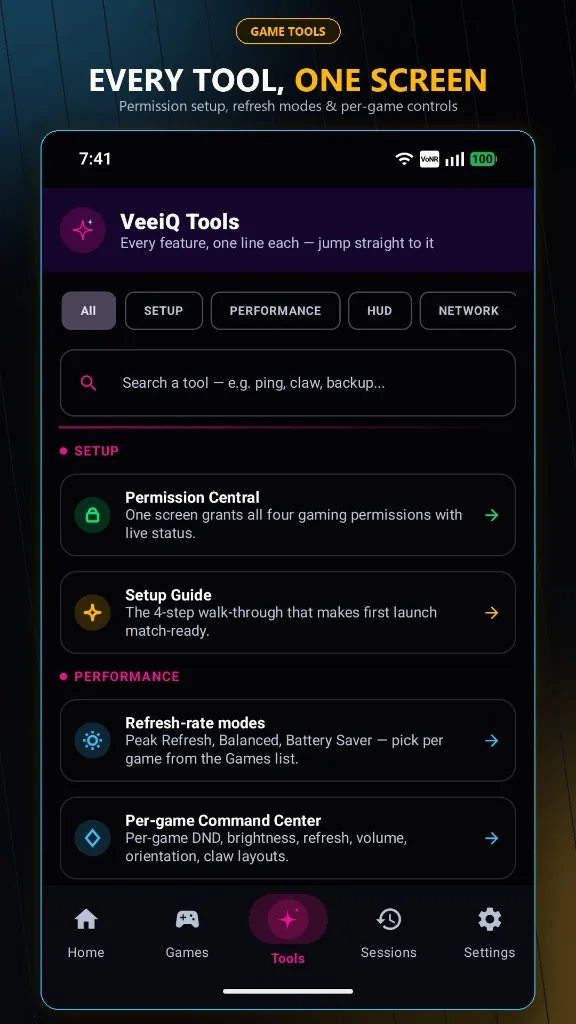
⚙️ One-Tap Session Setup
Configure supported settings such as Do Not Disturb, brightness, rotation and media volume. Settings are restored when the session ends where supported.
📈 Session History
Review play time, battery usage, session history and frame-cadence stability readings.
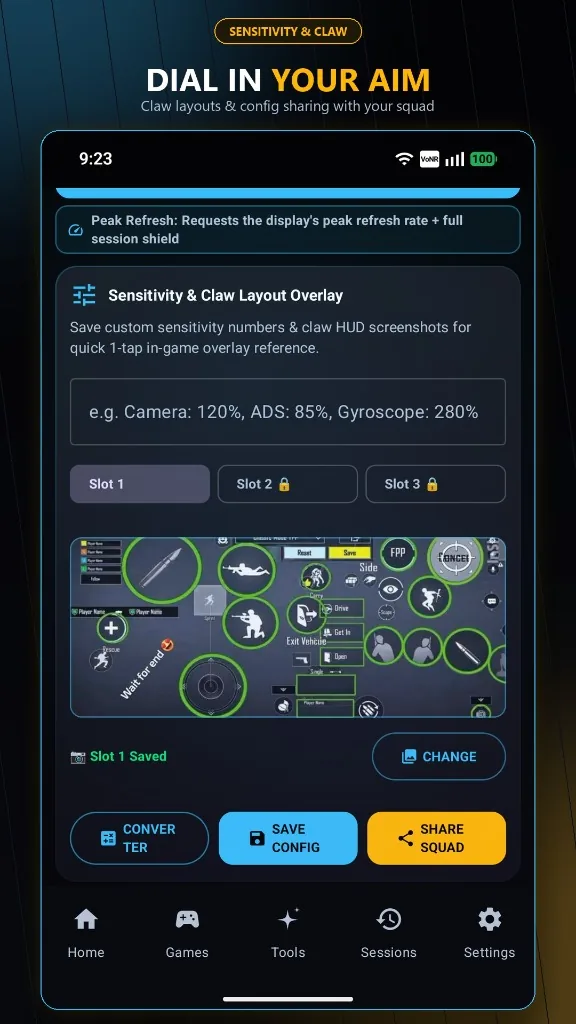
🎯 Gaming Tools
Save sensitivity notes, manage claw-layout references and use supported touch controls.
⚖️ Built for honest readings
VeeiQ Gaming Hub does not claim to boost game FPS or free memory from other apps. Display refresh rate is not the same as game FPS. The optional network test measures latency to a public endpoint, not necessarily to your game server.
🔒 Privacy first
No account or advertising. Profiles and session history are stored locally. Internet access is used for Google Play purchases and the optional network-latency test.
Truth In Software
What VeeiQ Gaming Hub Does & Does Not Do
Got Questions?
Frequently Asked Questions
What is VeeiQ Gaming Hub? +
VeeiQ Gaming Hub brings your installed games, gaming-session controls and live device information together in one place. Launch a game, configure supported session settings, use an optional in-game HUD and review your gaming history. No ads. No account. Your app data stays on your device.
Does VeeiQ Gaming Hub boost FPS or clean RAM? +
No. VeeiQ Gaming Hub does not claim to boost game FPS or free memory from other apps. Display refresh rate is not the same as game FPS. It is an honest gaming companion providing game organization, live device readings, session controls, and reference tools.
Does VeeiQ Gaming Hub overclock my CPU or GPU? +
No. VeeiQ Gaming Hub does not overclock CPU or GPU hardware, modify kernel files, or change hardware frequencies.
Does VeeiQ Gaming Hub require an internet connection? +
No. The core game launcher, gaming controls, HUD overlay, profiles, and session analytics work entirely locally on your device. Internet access is used only for Google Play purchases and the optional network latency test.
Does VeeiQ Gaming Hub show FPS? +
No. Display refresh rate is not the same as game FPS. The displayed screen refresh rate (in Hz) is a device display characteristic, and the HUD provides frame-cadence stability indicators rather than in-game FPS measurements.
What does the Live Gaming HUD show? +
View battery level, battery temperature, display refresh rate, available RAM and session time through the optional overlay. The optional network test measures latency to Cloudflare's public resolver at 1.1.1.1, not to a specific game server.
Can I configure settings like brightness and Do Not Disturb while gaming? +
Yes. Configure supported settings such as Do Not Disturb, brightness, rotation and media volume. Settings are restored when the session ends where supported.
Can I save sensitivity settings and claw layouts for different games? +
Yes. Save sensitivity notes, manage claw-layout references and use supported touch controls. These reference tools do not directly modify settings inside games.
Can I track gaming time and battery drain? +
Yes. Review play time, battery usage, session history and frame-cadence stability readings stored locally on your device.
Does VeeiQ Gaming Hub contain ads or collect my gaming data? +
No account or advertising. Profiles and session history are stored locally. VeeiQ does not use analytics or tracking SDKs, and your data never leaves your device.
Are there optional in-app purchases? +
Yes. Core companion features are free to use. VeeiQ Gaming Hub offers optional Pro features available through a one-time purchase processed securely via Google Play Billing.
VeeiQ Software
Intelligent tools built for privacy and trust.
VeeiQ Gaming Hub is built with respect for your focus and device. Experience honest technology without surveillance.